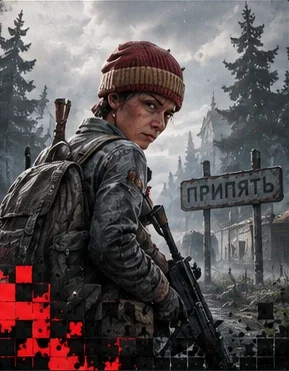
 DayZvPRO
DayZ / PRO
Provider · NextPlayer, infected and loot ESP; location map, radar, aiming and configuration profiles.
What's included
168 · listed by the supplierAimbot & Exploits · Aimbot General
14
- Mouse Aimbot
Traditional mouse-based aimbot
- Silent Aimbot
Invisible aim assistance
- Silent Aim Key
Keybind for silent aim
- Targeting Type
Closest FOV or Closest Distance
- Aimbot FOV
Field of view for targeting
- Target Swap Delay
Delay between target switches
- Max Aim Distance
Maximum targeting range
- Aim Bone
Specific body part, dynamic or random
- Silent Aim Hit chance
Probability of successful hits
- Mouse Smooth factor
Smoothness of aim movement
- Target Visible Only
Only target visible enemies
- Target Lock
Lock onto targets
- Prioritize Players
Prefer players over infected and animals
- Ignore Players / Zombies / Animals
Selective targeting options
Aimbot & Exploits · Aimbot Other
7
- Magic Bullet
Bullets that always hit
- Magic Bullet Bypass
Boosts bullet speed so magic bullets punch through walls
- Magic Bullet Distance
Maximum magic bullet range
- Magic Bullet Key
Keybind for magic bullets
- Smart Curve Bullet
Bullet curves and flies toward target
- Smart Bullet Key
Keybind for smart bullets
- Combat Mode Key
Hide all non-combat related ESP
Aimbot & Exploits · Aimbot Visuals
4
- Draw FOV Circle
Visual field of view indicator
- FOV Circle Color
Customizable FOV circle color
- Draw Target Snapline
Line to current target
- Target Snapline Color
Customizable snapline color
Aimbot & Exploits · Triggerbot
2
- Triggerbot Key
Keybind for triggerbot
- Only shoot while ADS
Only works while aiming down sights
Aimbot & Exploits · Weapon Modifications
4
- No Recoil
Customizable recoil percentage
- No Sway
Customizable sway percentage
- Magic Reload
Instantly reload from your inventory or nearby ground ammo
- Load Any Mag
Hotkey loads the magazine you hover over
Aimbot & Exploits · Exploits
9
- Item Dupe
Duplicate a selected inventory item
- Teleport players/infected in front of you and freeze them
Your side only manipulation
- Item Teleport
Pull a selected nearby item to you
- Scripting Engine
Run your own Enforce scripts in-game
- Item Spawner
Spawn armbands, wraps, rope, sticks and bone knives from a held item
- Board Boat Key
Board the nearest boat on a keybind
- Repair Vehicle Key
Repair the vehicle nearest your crosshair
- Underground Lever Key
Operate nearby bunker levers on a keybind
- Built for DayZ 1.29 / 1.30
No guarantee for future versions
ESP & Visuals · Players / Zombies / Animals / Vehicles
16
- Name
entity names
- Visible Check
Check if entity is visible
- Distance
distance to entities
- Held Item
held weapons/items
- Player Inventory Viewer
Panel listing the gear of the player nearest your crosshair
- Health bar / Show Quality
Visual health indicators
- Skeleton
Bone structure overlay
- Bounding Box
Box around entities
- Show Corpse
dead bodies
- Show Corpse Items
items on dead bodies
- Show NPC / Bots
Include AI bots in player ESP
- Bigger Vertical Health Bar
Large health bar beside the box, optional %
- Name Color
Customizable name colors
- Visible Color
Color for visible entities
- Invisible Color
Color for hidden entities
- Box Type
Cornered or Full Squared boxes
ESP & Visuals · Player List
7
- List of all players
Comprehensive player management
- Mark as Admin
Tag a player so ESP labels and counts them
- Ignore for ESP
Hide specific players from ESP
- Friendly (Ignore for Aimbot)
Mark players as friendly
- Custom Color
Assign custom colors to players
- Open Steam Profile
Quick access to Steam profiles
- Copy Steam ID
Copy player Steam IDs
ESP & Visuals · Object ESP
15
- Show ruined Items
damaged items
- Pristine Only
Hide any item that isn't pristine
- Restrict ESP
Only draw items inside FOV
- Structure ESP
buildings and structures
- Container ESP
containers and storage
- Container Item ESP
items within containers
- Buried Stash ESP
Reveal buried underground stashes
- Sites ESP (Wreck Sites)
crash sites
- Trap / Contamination / Activation zones
dangerous areas
- Consumable ESP
food and drinks
- Show Names
object names
- Show Distance
Distance to objects
- Show Quality
Item condition display
- Item ESP Grouping
Reduce clutter by grouping
- Item Category ESP
Filter by item categories
ESP & Visuals · Item List
5
- Item List
Every item you encounter, customizable individually
- Enable
individual items
- Ignore
Hide specific items
- Max Distance
Per-item draw distance
- Custom Color
Individual item colors
ESP & Visuals · World ESP
16
- Show landmarks
map landmarks
- Villages
village locations
- Cities
major cities
- Castles
castle locations
- Airfield
airfield locations
- Military Base
military areas
- Select map
Support for multiple maps
- Chernarus Plus
Original DayZ map
- Namalsk
Cold survival map
- Enoch
Livonia DLC map
- Sakhal
Frostline DLC map
- DeerIsle
Community map
- Melkart
Desert community map
- Show Location Names
location names
- Show Location Distance
Distance to locations
- Location Color
Customizable location colors
ESP & Visuals · Saved Location ESP
4
- Save coordinates and show on ESP later
Custom waypoint system
- Saved location name
Custom names for saved spots
- Saved location distance
Distance to saved locations
- Saved location color
Custom colors for waypoints
ESP & Visuals · Rename Object
2
- Rename any object ESP name
Custom object naming
- Useful for items with internal names only
Improve readability
Miscellaneous · Visual Misc
24
- Bullet Tracer
Visualize bullet paths
- Bullet tracer time
Duration of tracer visibility
- Tracer color
Customizable tracer color
- Hit Marker
On-screen indicator when your shots hit
- Ammo Indicator
Current ammunition display
- Admin Count Indicator
number of admins online
- VPP Invisible Admin Alert
Warns about and reveals invisible VPP admins
- Player Count Indicator
nearby player count
- Infected Count Indicator
zombie count
- Remove Grass
Eliminate grass for better visibility
- Time Changer
Modify time of day
- Visual Brightness
Adjust game brightness
- Always Clear Weather
Remove weather effects
- FOV Changer
Modify field of view
- Horizontal FOV
Adjust horizontal view angle
- Vertical FOV
Adjust vertical view angle
- Weapon Laser
exact aim point
- Weapon laser color
Customizable laser color
- Crosshair
Custom crosshair overlay
- Crosshair color
Customizable crosshair color
- Crosshair Size
Adjust crosshair size
- Crosshair Gap
Center gap size
- Crosshair Thickness
Line thickness
- Show Loaded Config
current configuration
Miscellaneous · Debug Camera
4
- Interactive Debug Camera
Free camera that brings your character along to loot remotely
- Spectator Debug Camera
Free camera while your character stays put, with extended loot distance
- Debug Camera Speed
Camera movement speed
- Debug Camera Key
Keybind for camera toggle
Miscellaneous · Other
8
- Speedhack
Movement speed modification
- Speedhack Value
Speed multiplier
- Speedhack Key
Keybind for speed toggle
- Enable Frostline DLC
Access DLC content
- Force enable third person
Third person view
- Force enable crosshair
Always show crosshair
- Max Quickbar Slots
Unlock all 10 quickbar slots regardless of clothing
- Draw Compass
Navigation compass
Radar
11
- Show Players
players on radar
- Show Zombies
infected on radar
- Draw Distance
Distance numbers next to radar blips
- Draw Look Direction
entity facing direction
- Radar Background Color
Customizable background
- Radar Crosshair Color
Center crosshair color
- Radar Size
Radar window size
- Entity Size
Size of radar dots
- Max Distance
Maximum radar range
- Direction Line Length
Length of direction indicators
- Direction Line Width
Thickness of direction lines
Radar · In-Game Map
1
- In-Game Map
Hotkey map showing players, infected, animals and vehicles
Settings & Configuration · Settings
13
- Fully configurable Load / Save Settings
Complete settings management
- Default Profile Auto-Load
Your "Default" config loads on startup
- Export / Import Settings
Share configurations
- Show Info Bar
Information display bar
- Stacked ESP Text
Organized text display
- Multiple Languages Supported
Localization support
- English
English language support
- Chinese
Chinese language support
- Russian
Russian language support
- Configurable Menu Accent Color
Custom menu colors
- Configurable Menu Checkbox Color
Custom checkbox colors
- Custom Font Selection
Load your own font for ESP text
- Hotswap Configs
Quick configuration switching
Settings & Configuration · Search Settings
2
- Search Settings
Find and edit settings from every tab you've opened
- Searchable to quickly find what you're looking for
Fast setting location
Product information
- For game
- DayZ
- Provider
- Next
- Current version
- PRO
- Last check
- Oct 3, 22:42 UTC
Supplier description
These details are provided by the supplier. Current offers are shown in the access panel.
Player, infected and loot ESP; location map, radar, aiming and configuration profiles.
Catalog only; purchases are unavailable until developer license codes are stocked. Terms: 1, 7, 30 and 90 days. Base prices in USD. RUB/EUR tariffs use CBR rates dated 03.10.2026, rounded to minor units. Use may result in a game account ban.
General Next FAQ requirements
- AMD or Intel CPU
- Windows 10 or Windows 11
- DirectX 11 or later
- Stable internet connection
- At least 100 MB free storage
- One PC per account; simultaneous use on multiple PCs is not supported
These are the supplier's general requirements, not a compatibility test for this edition. Supplier feature list updated 2026-09-18; checked 2026-10-11. Feature source: https://nextoptimizer.com/features/dayz-pro/ General requirements source: https://nextoptimizer.com/faq/
What to check before buying?
The game, product version, status and access term. If the author has not confirmed compatibility with your setup, ask in the community first.
What does product status mean?
It is whether this version works, according to the author. Your license term is shown separately in the library. “No data” does not confirm that it works.
Installation
Getting the software
- Once you receive a genuine licence code, register it in the Next panel. The supplier FAQ requires an active licence before downloading.
- Use the supplier download link and instructions for your specific game and edition.
- Check current software status after a game update.
DeadPixel currently lists this product without stocked codes; these instructions do not mean purchasing or fulfilment is available. Source: https://nextoptimizer.com/faq/
Product pulse.
The author confirmed this version works.
- OnlineOct 3, 22:42 UTC
Статус active в открытом каталоге Next на 04.10.2026. Ключи ещё не загружены; покупка недоступна.